FMS Detective
FileMaker Server Log Analysis Tool
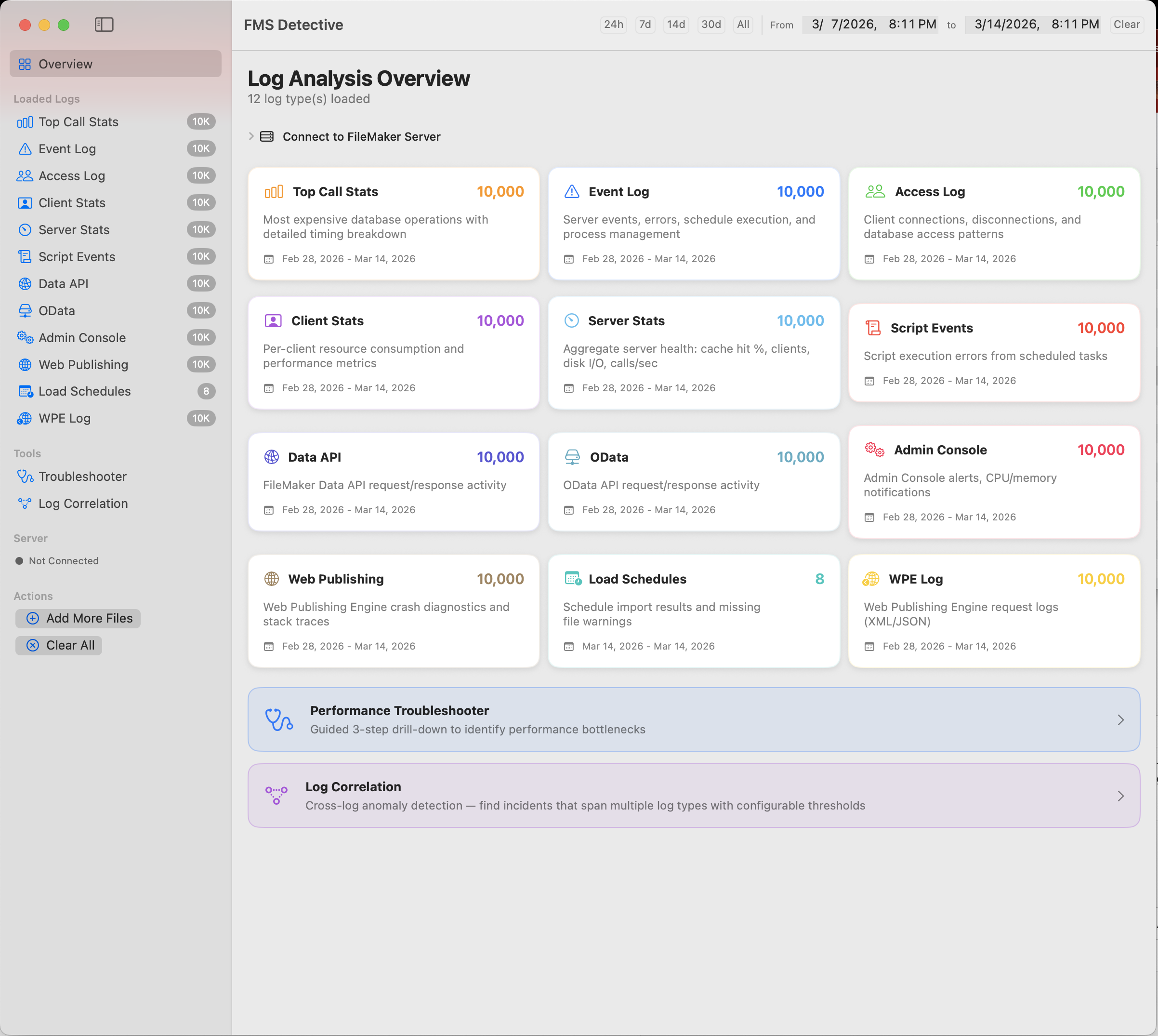
A native macOS app that parses, visualizes, and diagnoses performance issues across 12 FileMaker Server log types.
Free 7-day trial • No credit card required
FileMaker Server Log Analysis Tool
A native macOS app that parses, visualizes, and diagnoses performance issues across 12 FileMaker Server log types.
Free 7-day trial • No credit card required
Everything you need to understand what's happening on your FileMaker Server
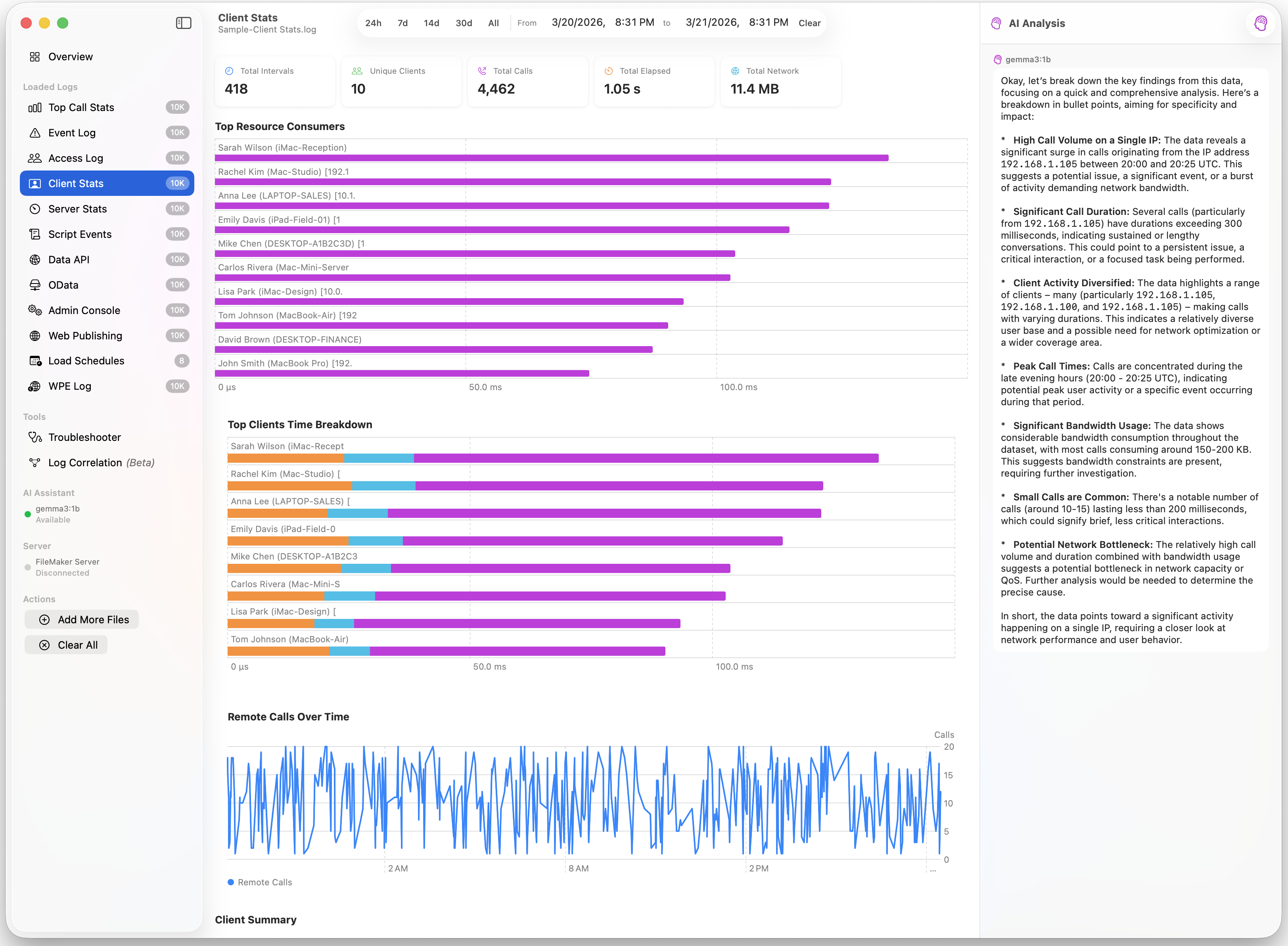
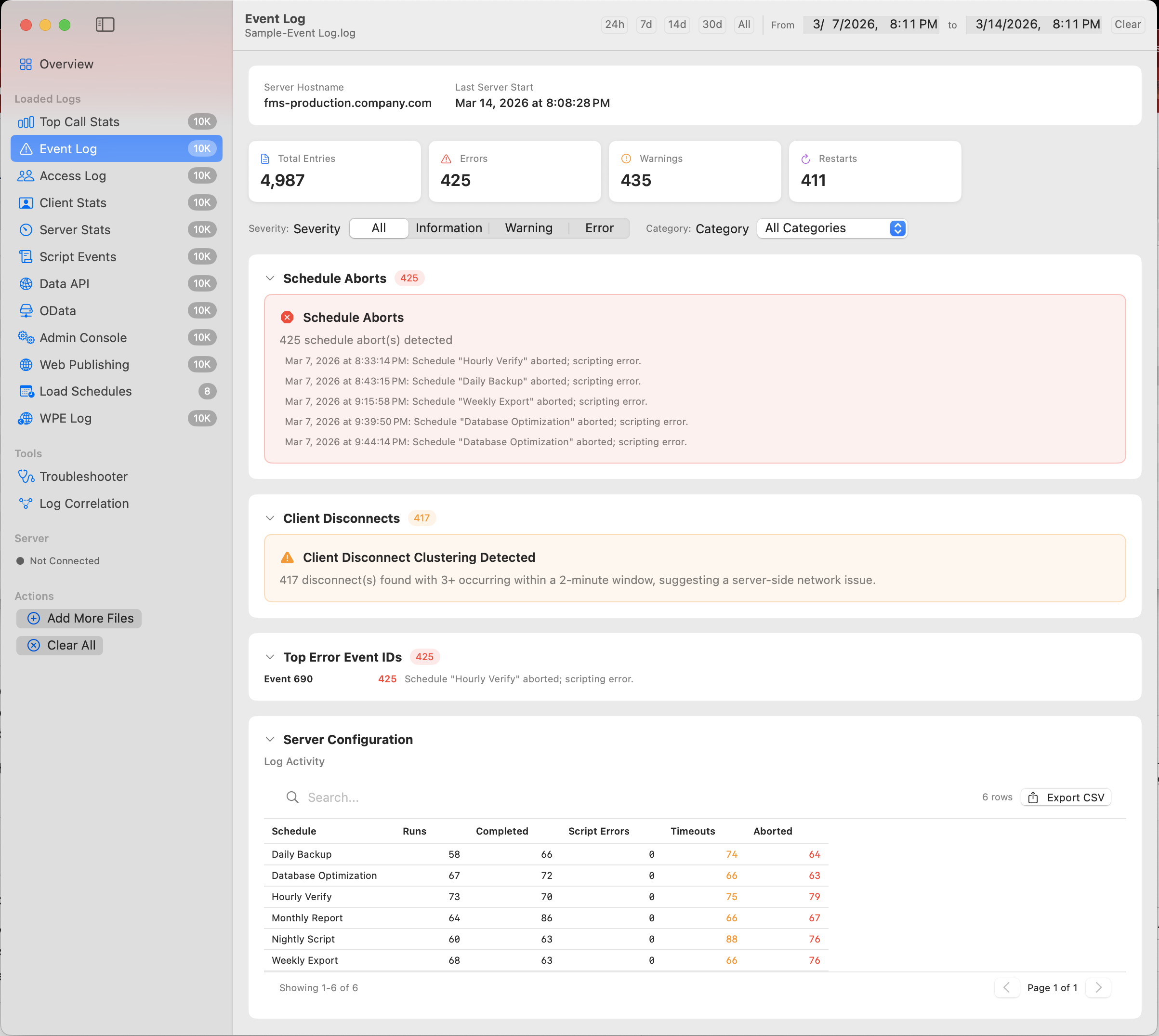
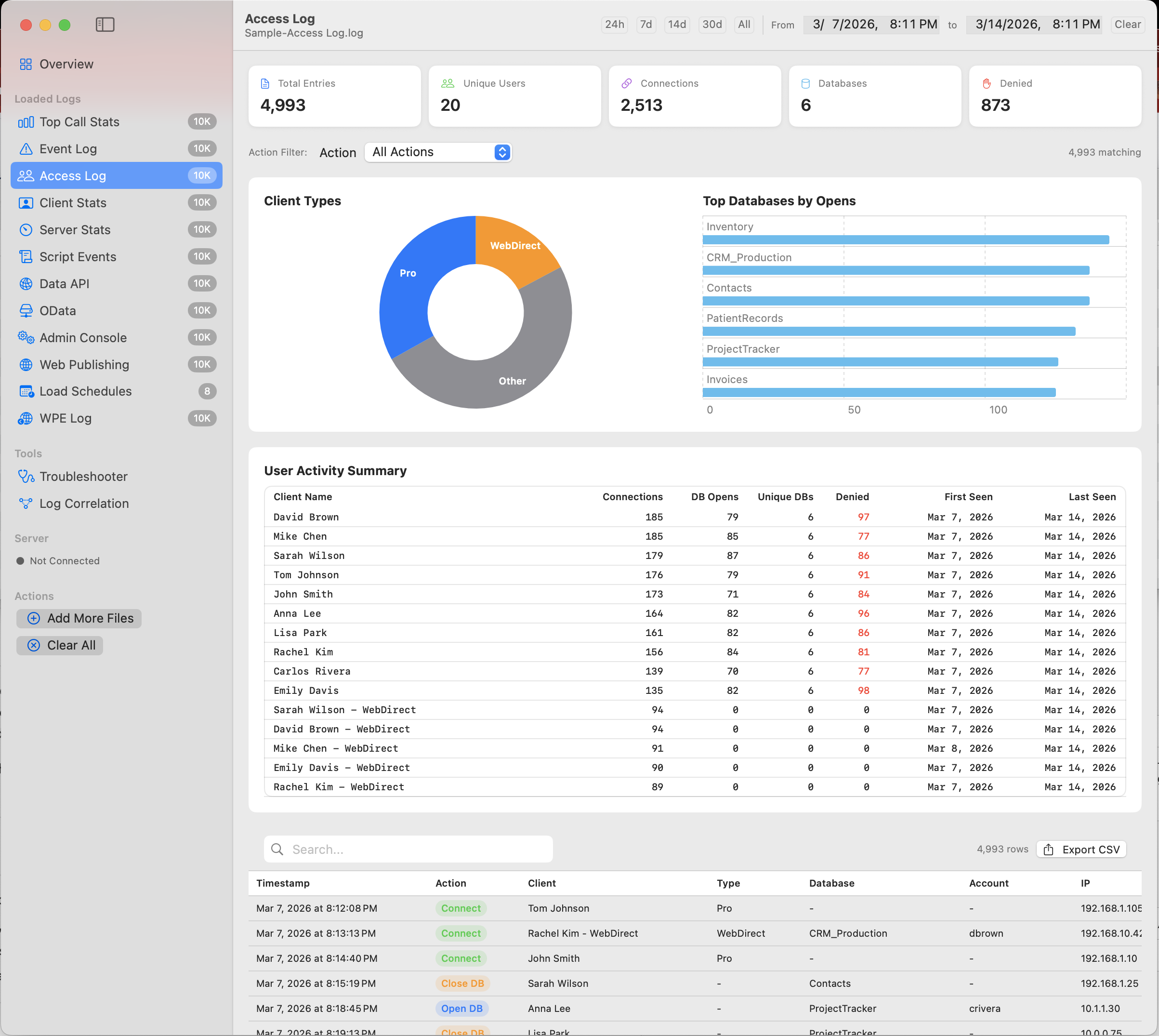
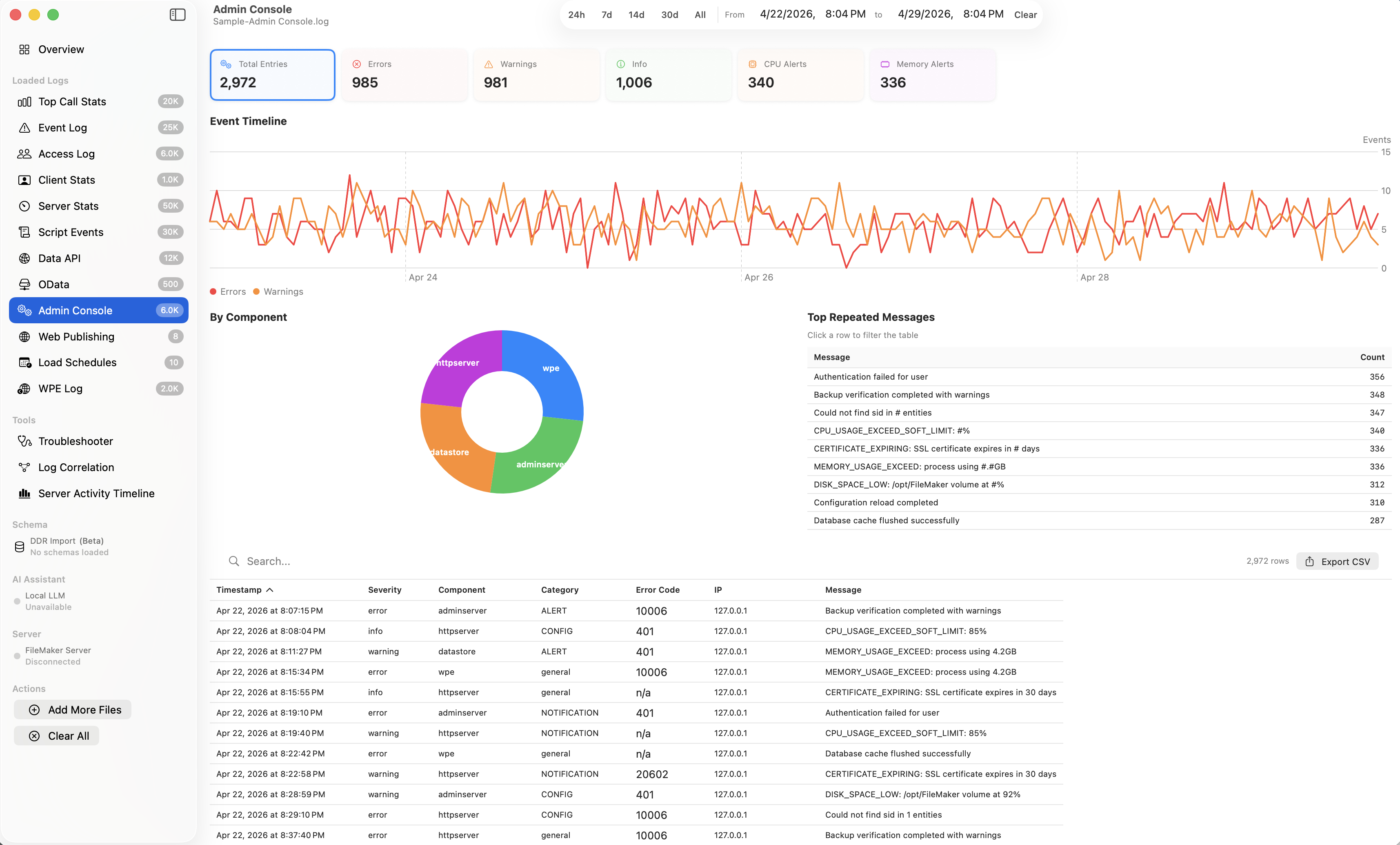
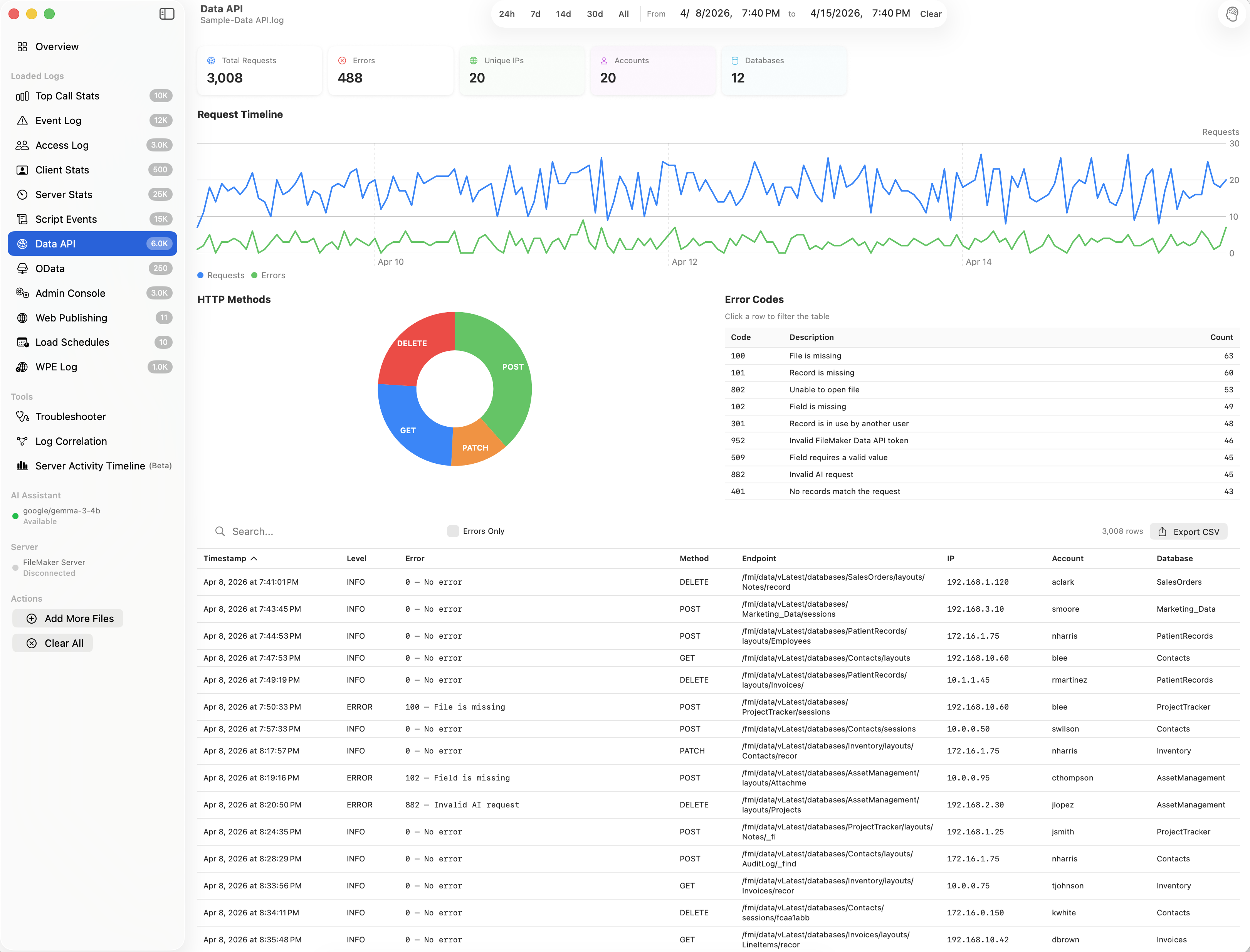
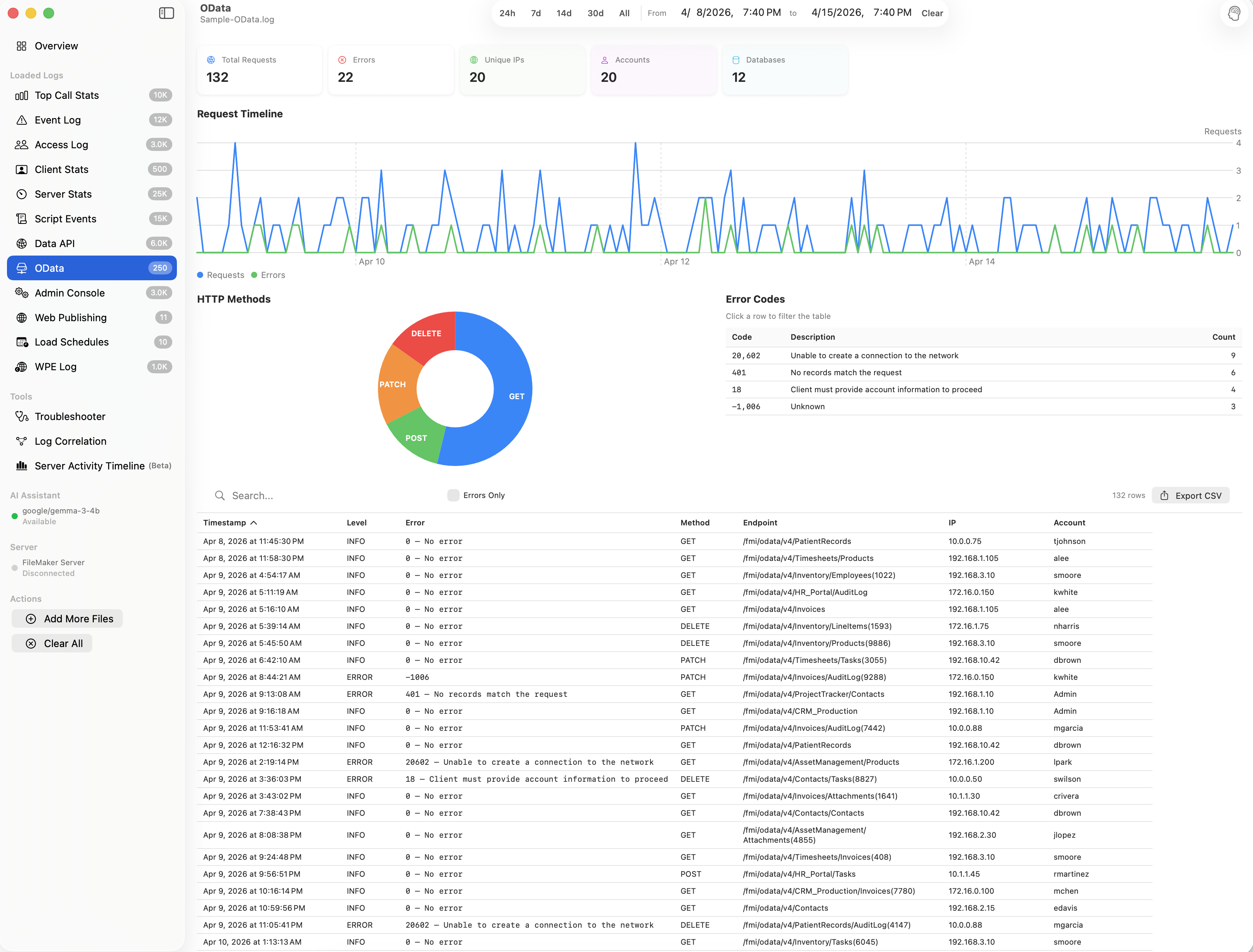
Auto-detects and parses all FileMaker Server log formats including Event, Access, Stats, Top Call Stats, Client Stats, Data API, OData, and more.
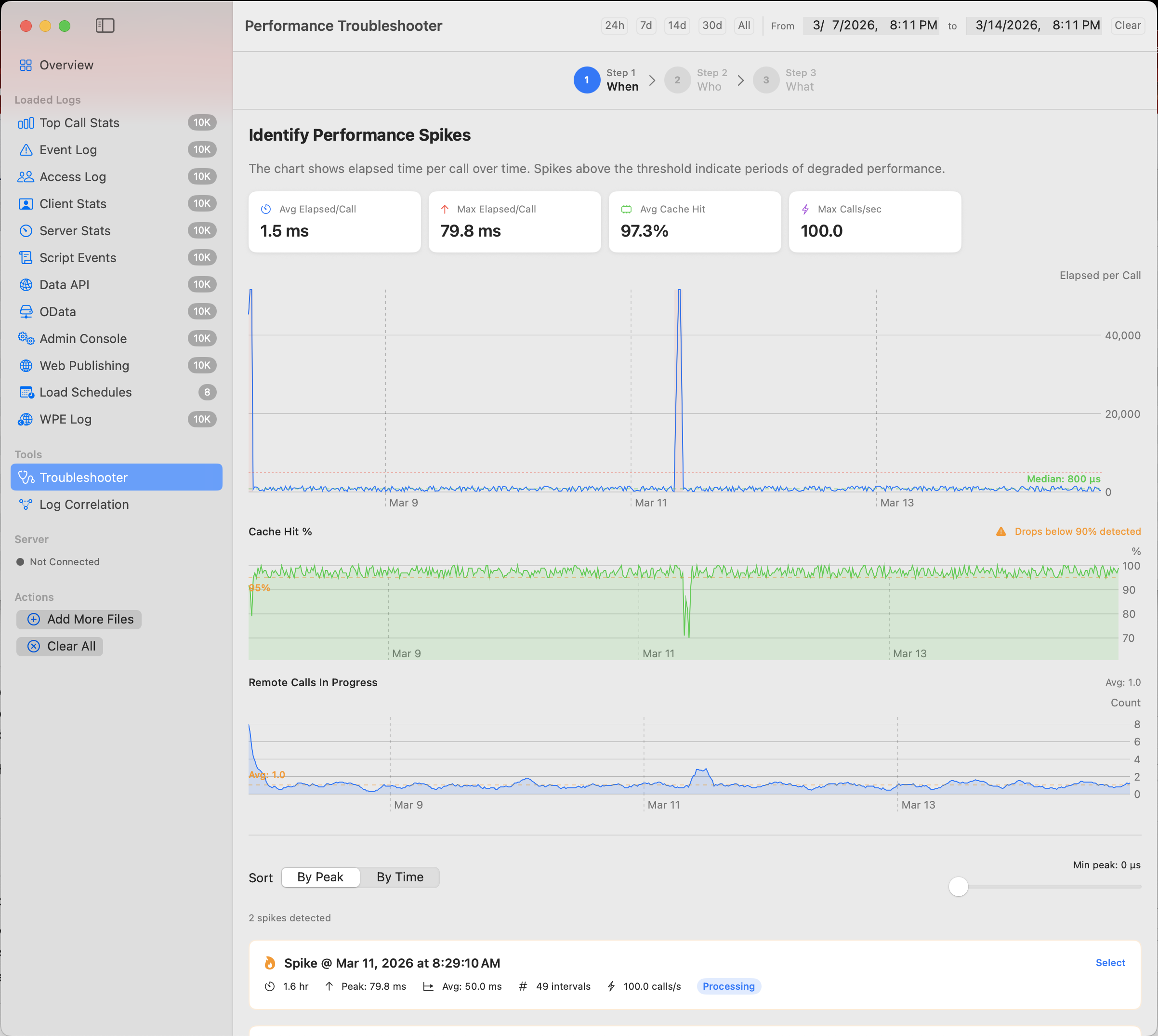
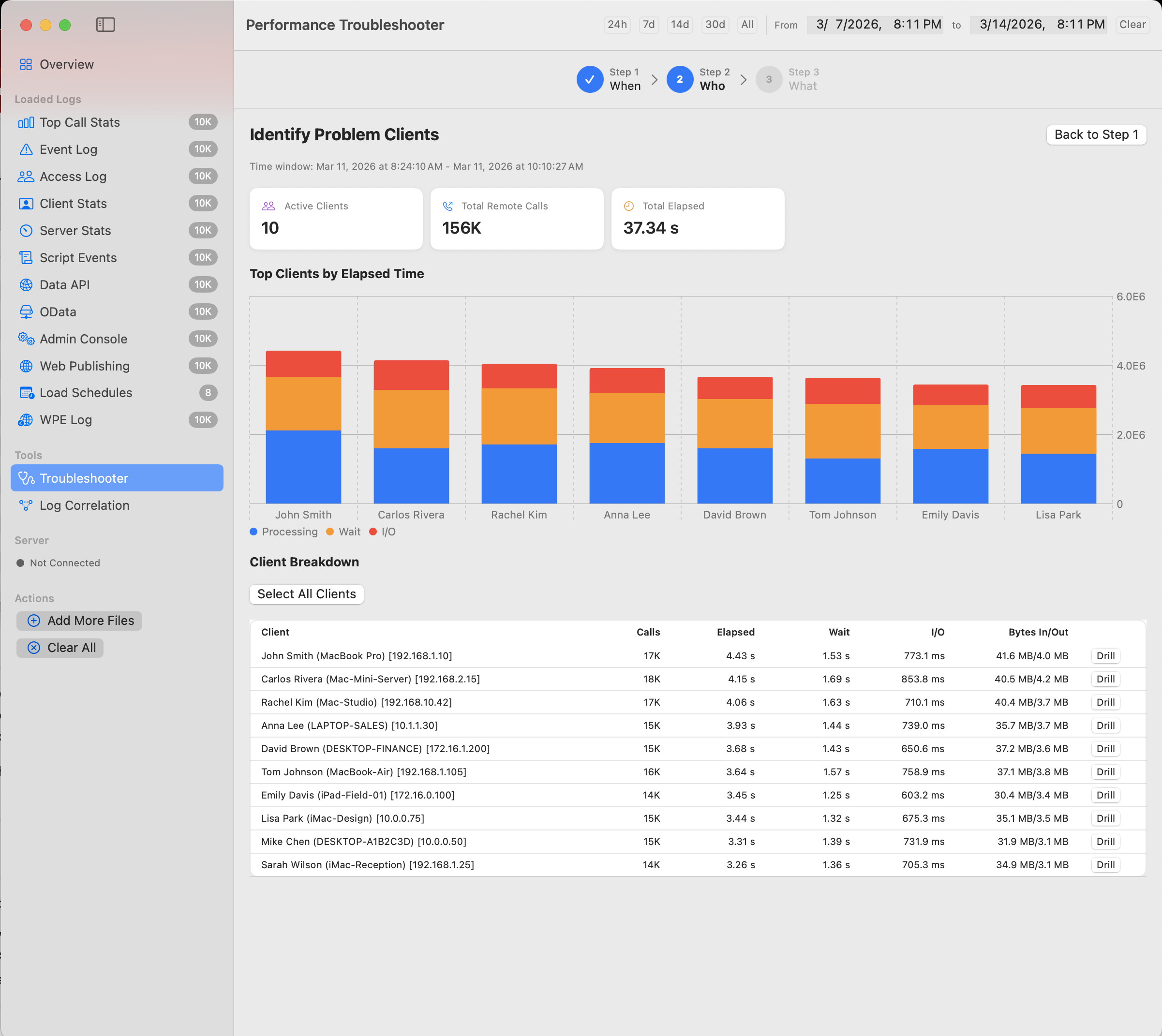
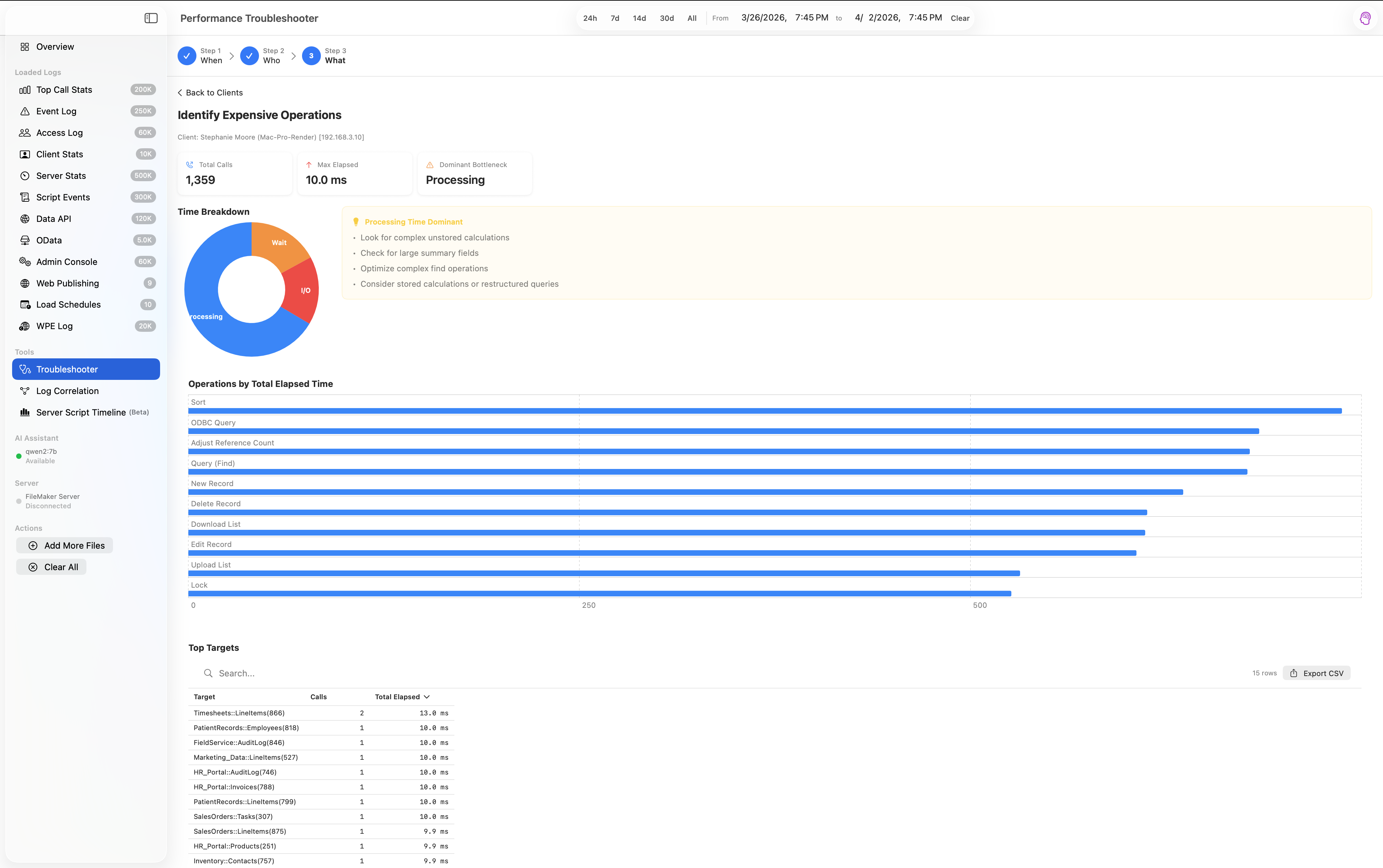
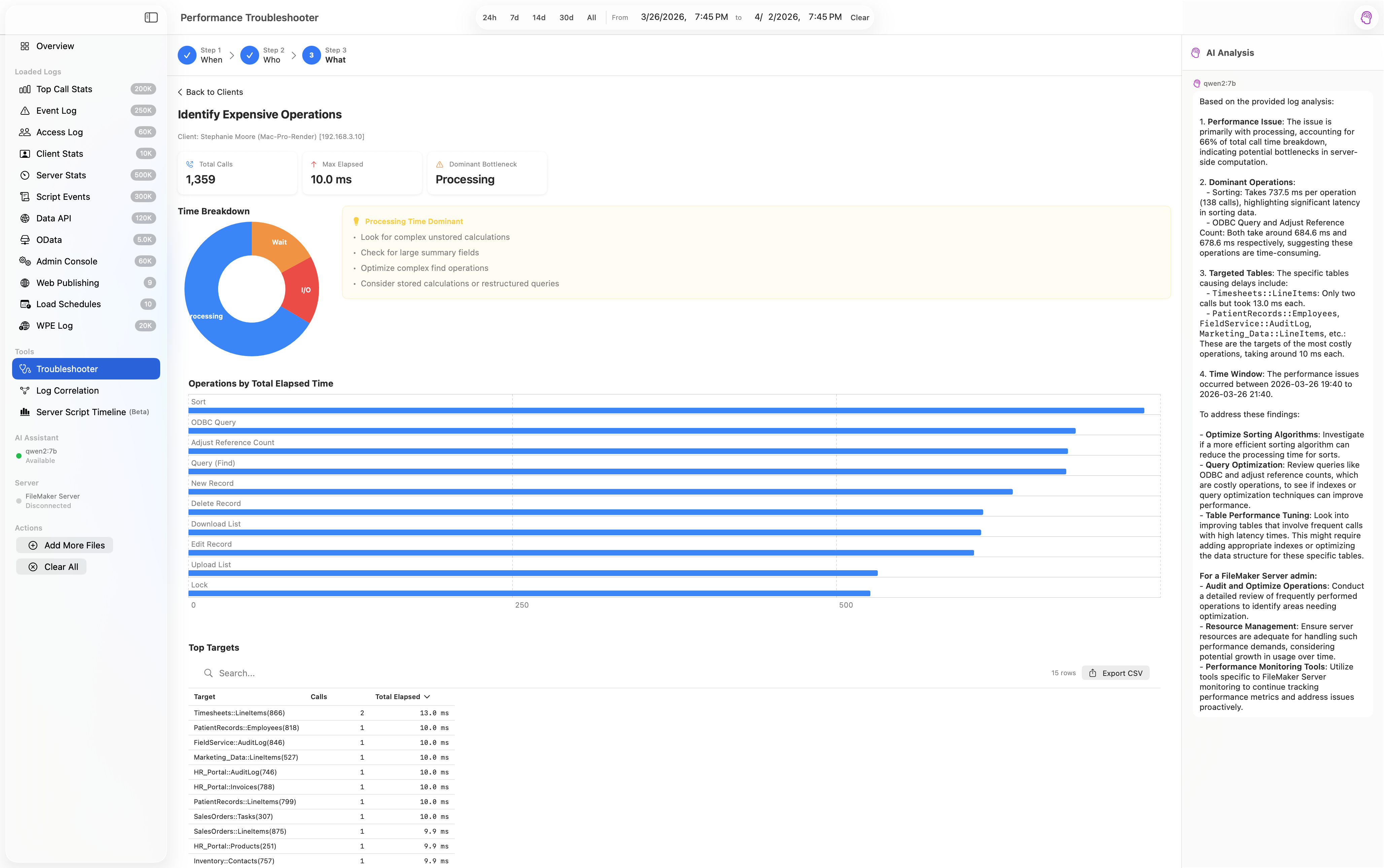
A guided 3-step diagnosis: identify performance spikes, pinpoint problem clients, and drill down to the exact operations causing issues.
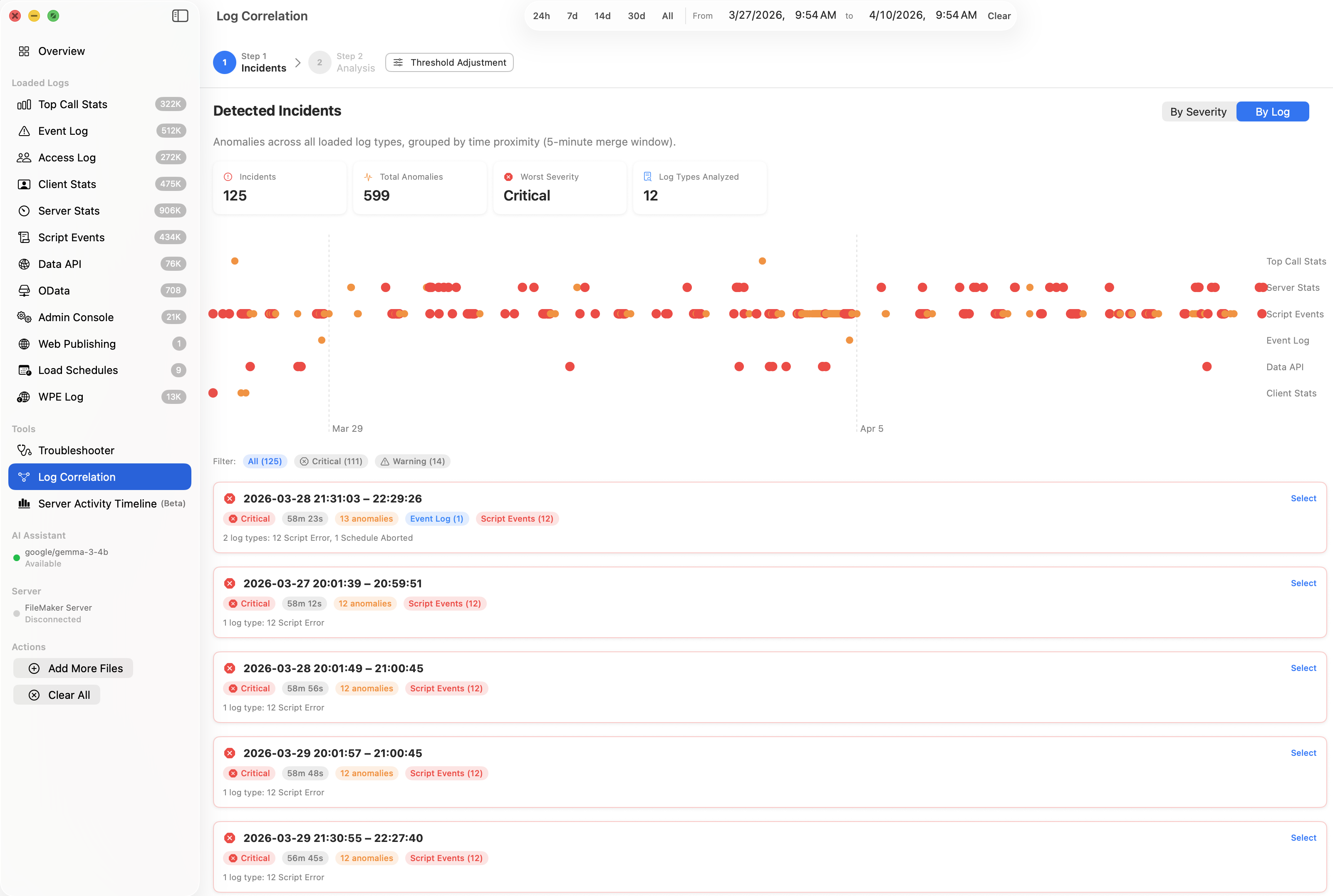
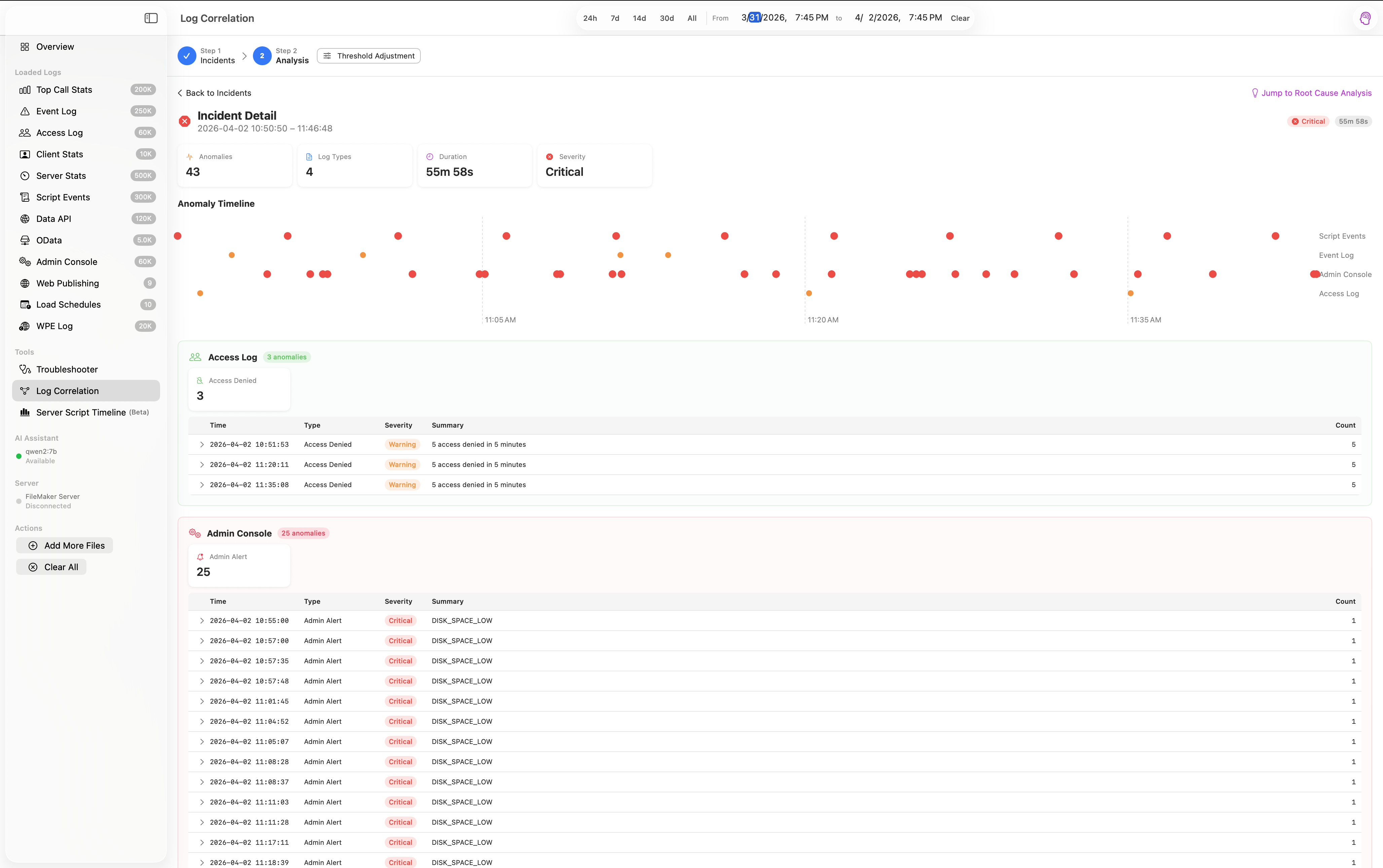
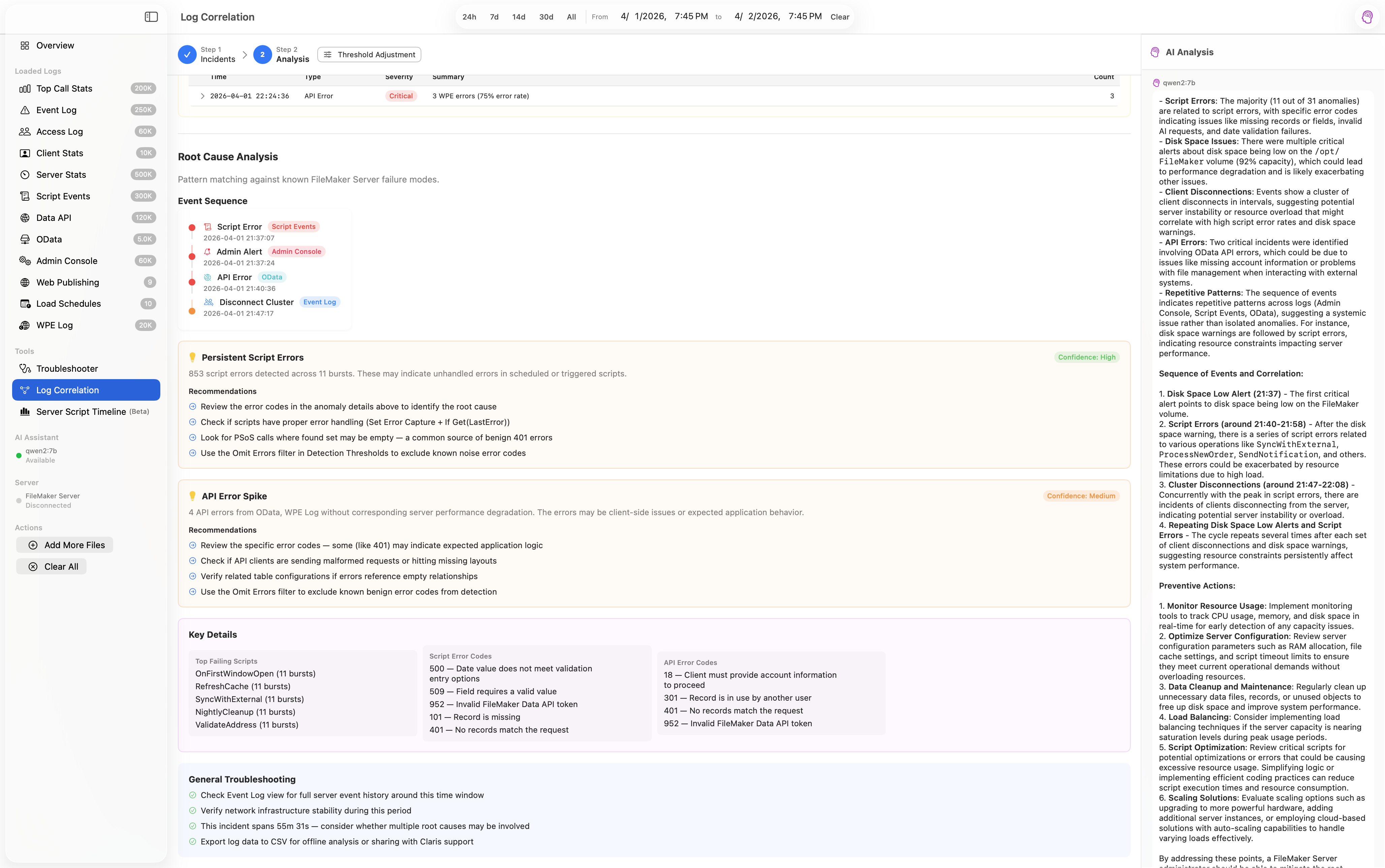
Cross-log anomaly detection groups time-correlated issues into incidents with root cause analysis against known FMS failure modes.
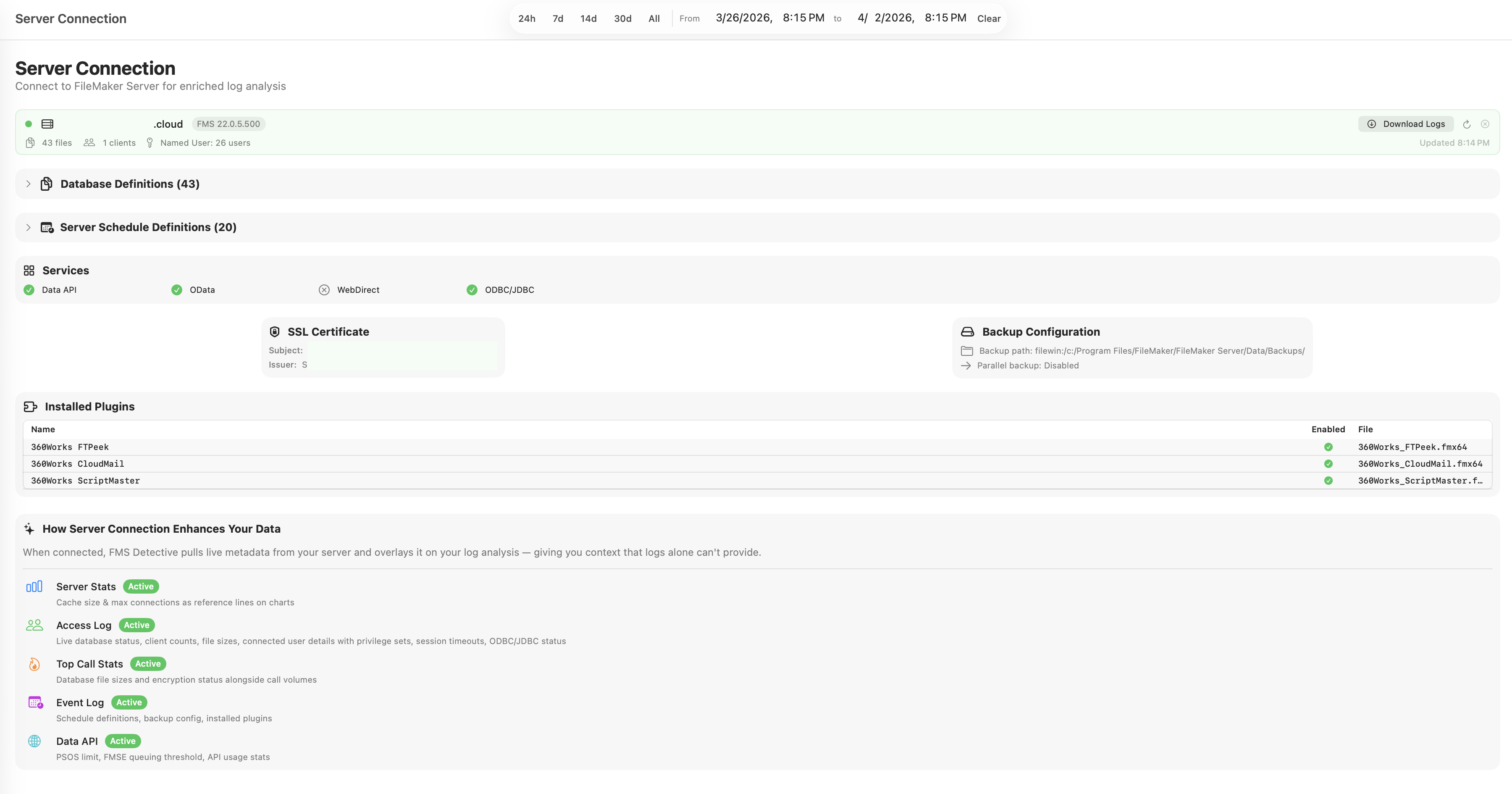
Optionally connect to your FileMaker Server for live server context — database sizes, client counts, cache settings, and more.
Drop your log files in, and FMS Detective handles the rest. Multi-file import with automatic type detection, up to 200 MB per file.
All analysis happens on your Mac. No data is uploaded to any server. Your log files never leave your machine.
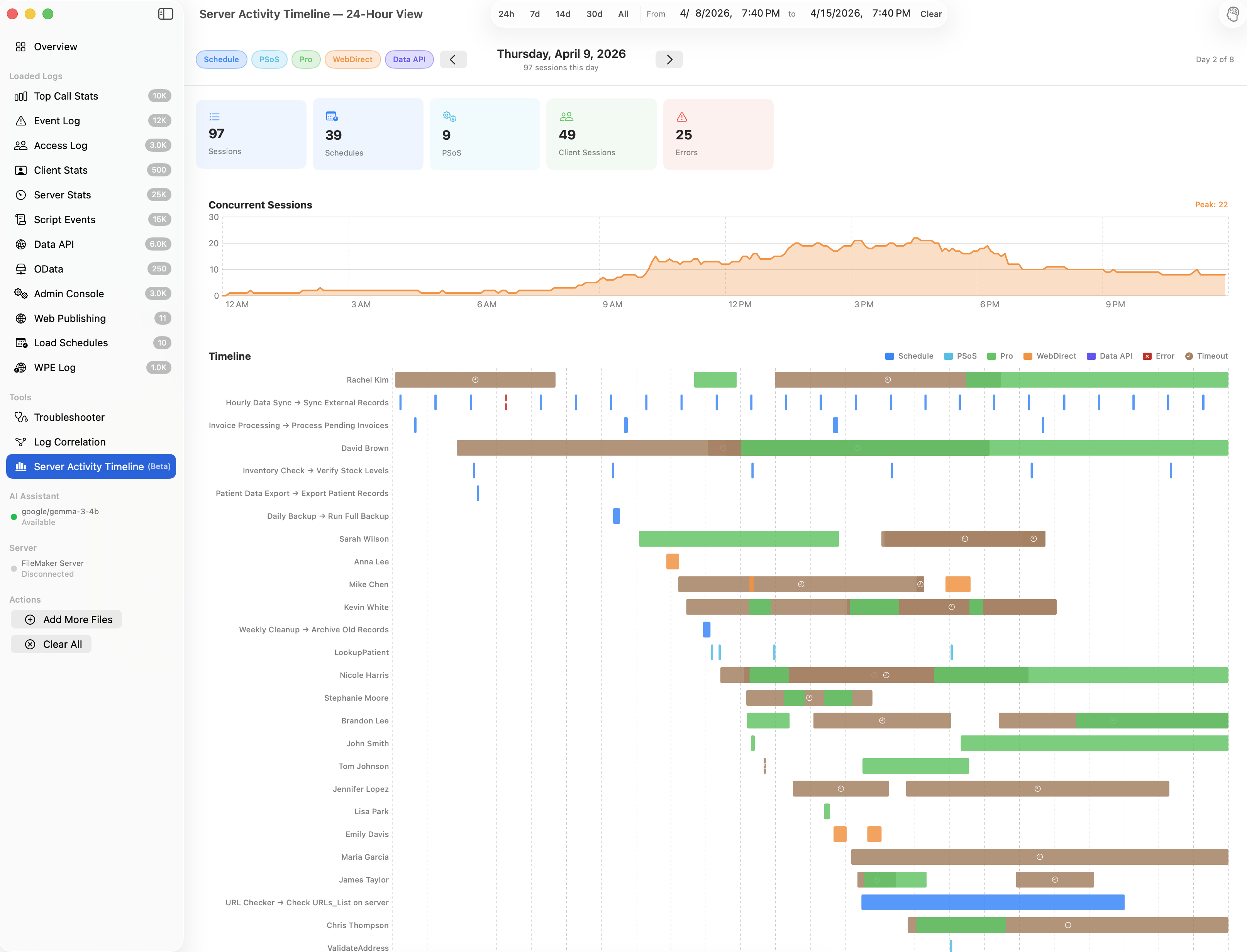
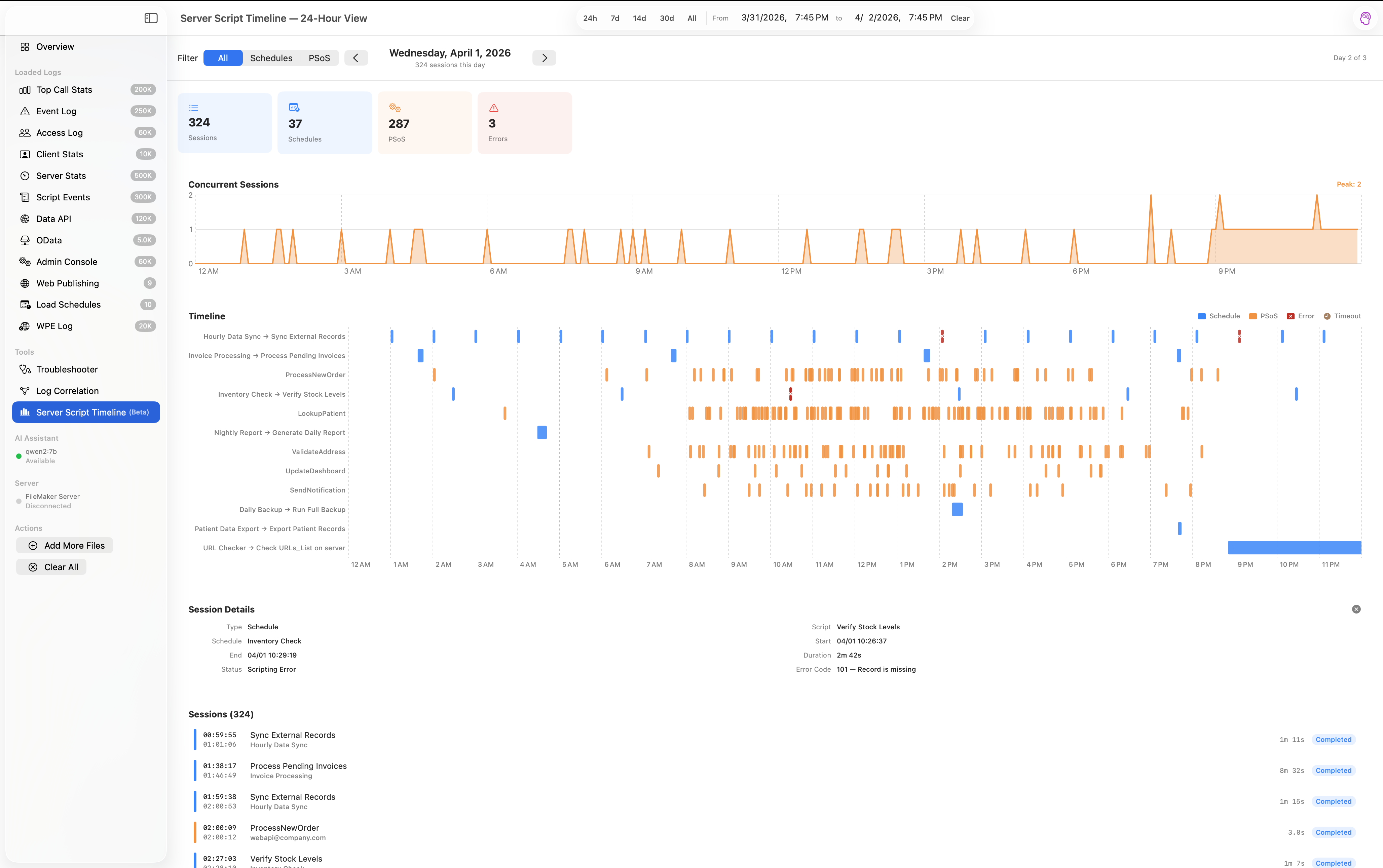
Click any screenshot to view full size

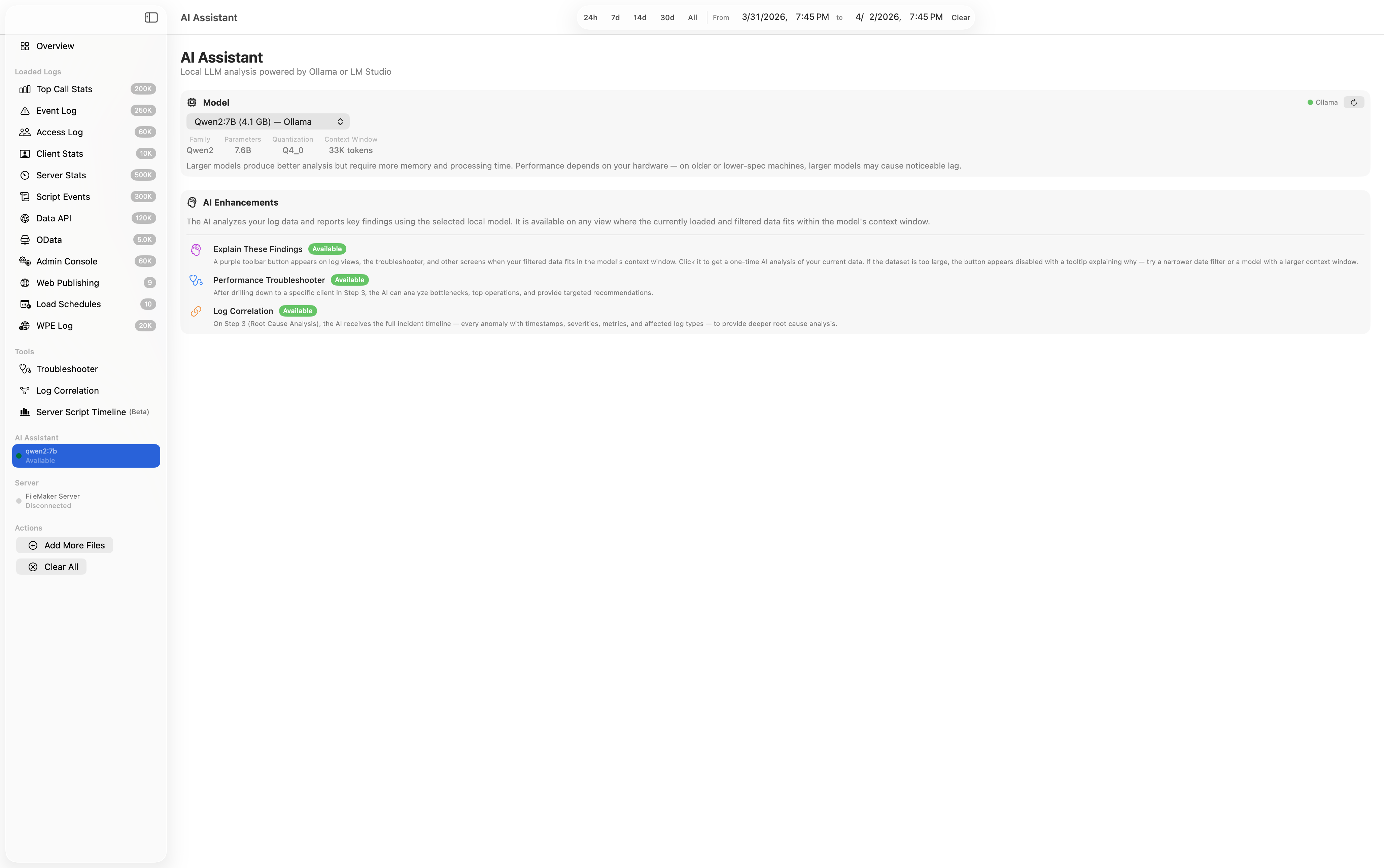
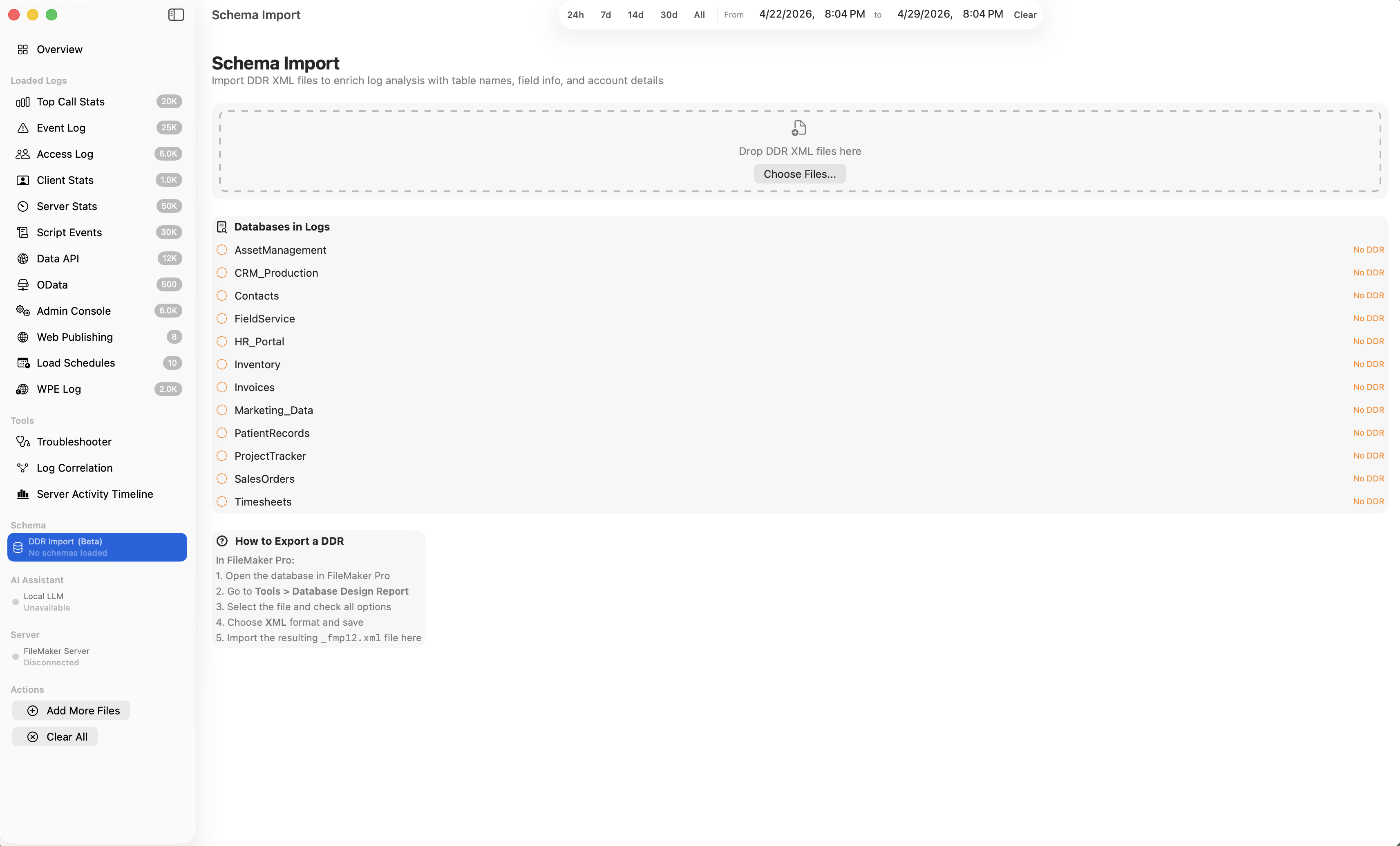
Import a FileMaker Database Design Report and FMS Detective resolves raw internal IDs in your logs to real table and field names. Targets like tableID=128, fieldID=42 become Customers::EmailAddress, with inline annotations for field type, indexing, and validation.
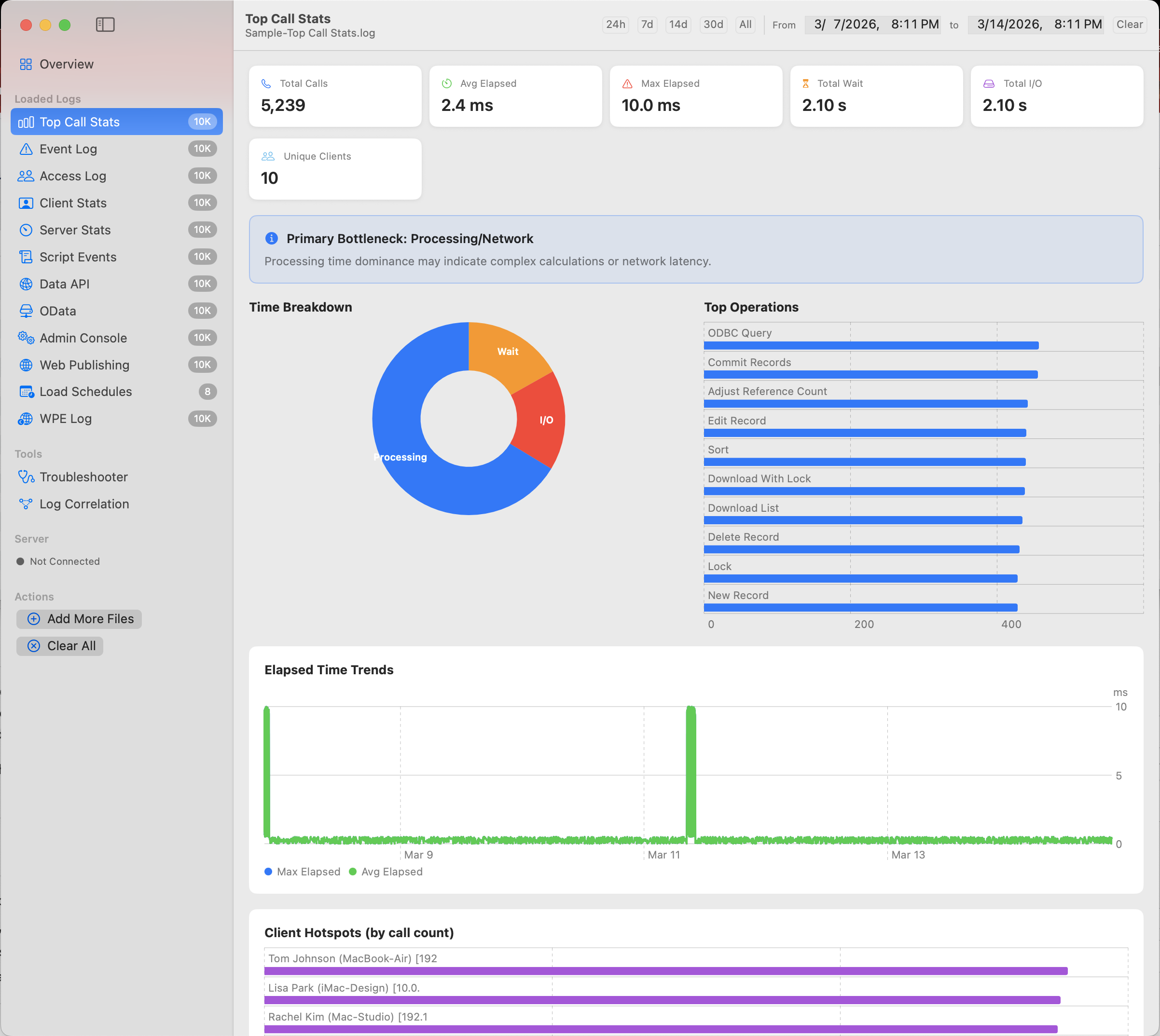
Identify the most expensive database operations with time breakdowns, client hotspots, and automatic bottleneck classification with actionable advice.
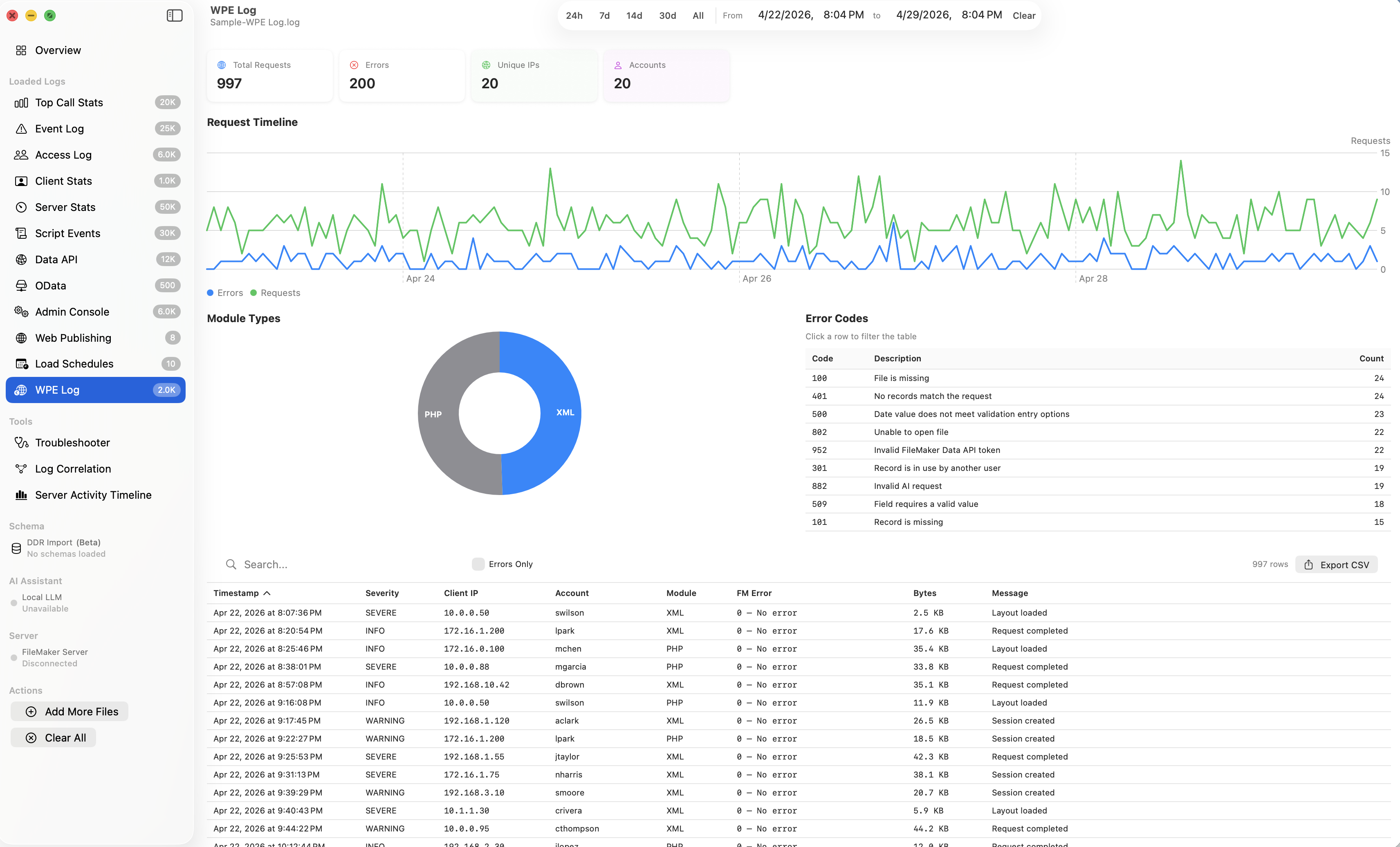
Auto-detected from filename or file content
Drag and drop your FileMaker Server log files, or use the file browser. FMS Detective auto-detects the log type.
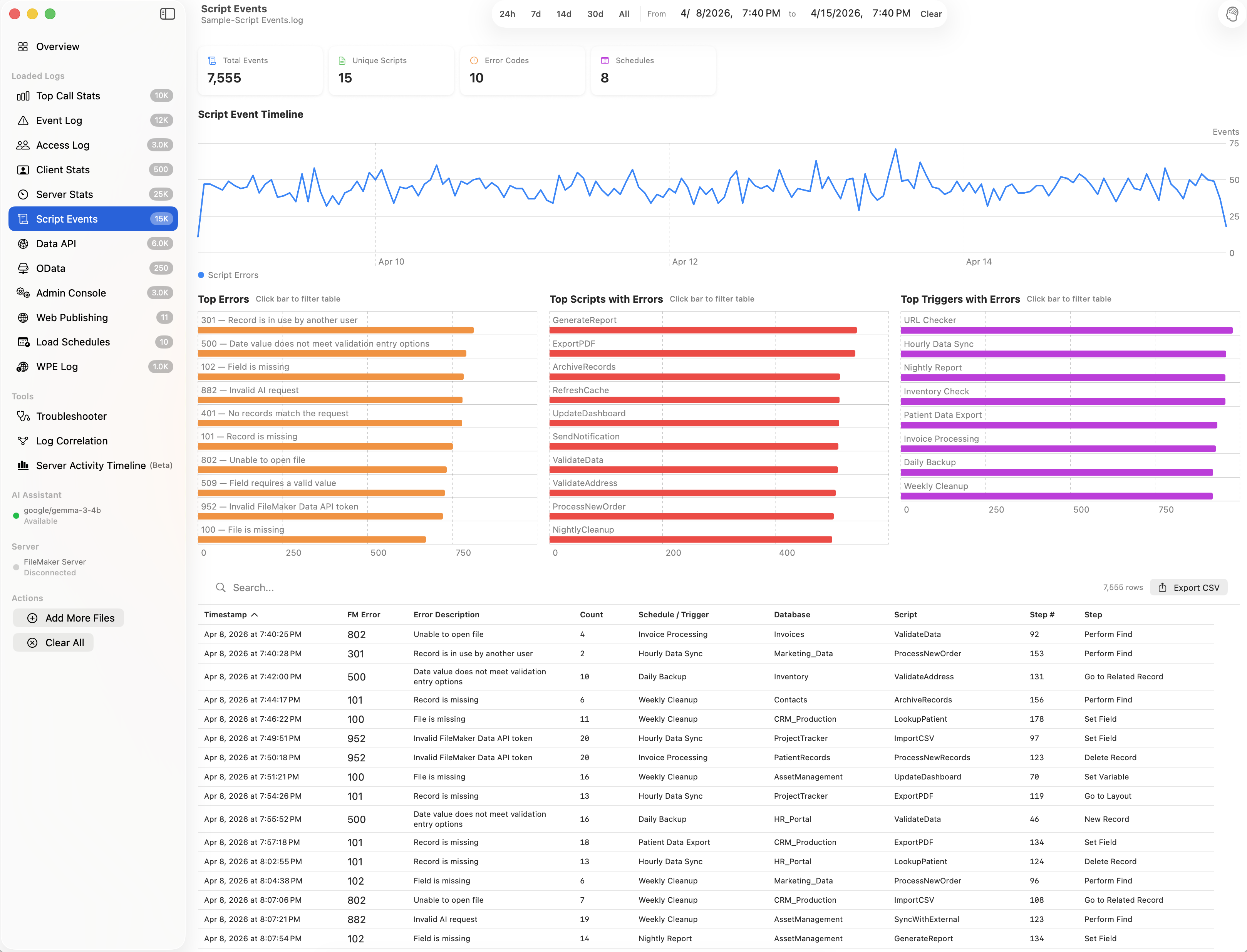
Charts, tables, and diagnostics appear instantly. Each log type gets a tailored analysis view with relevant metrics.
Use the Performance Troubleshooter and Log Correlation tools for guided root cause analysis.
Optionally connect to your live FileMaker Server to enrich log analysis with real-time server context. Read-only access — no server settings are modified.
All enrichment is additive — the app works fully without a server connection.
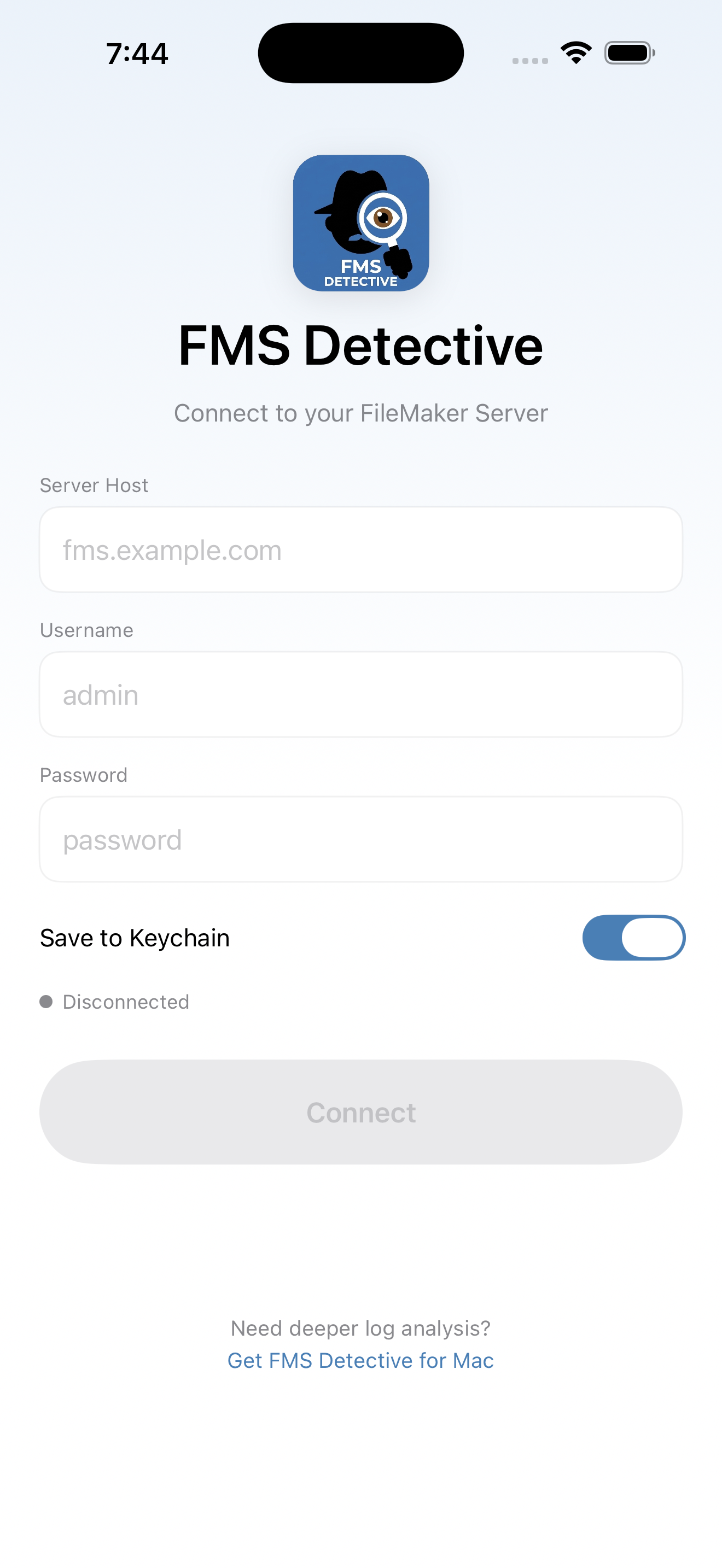
FMS Detective for iOS gives you a live view of your FileMaker Server from your iPhone or iPad. Connect to your server via the Admin API to check databases, clients, and schedules from anywhere.
Native macOS app for Mac.
Native macOS app • 100% local processing • No data uploaded